
Cost Centers
Associating services and parts usage with a specific cost center or budget item is often important. ManuMax EM allows users to easily configure their own cost centers based on their organization's needs.
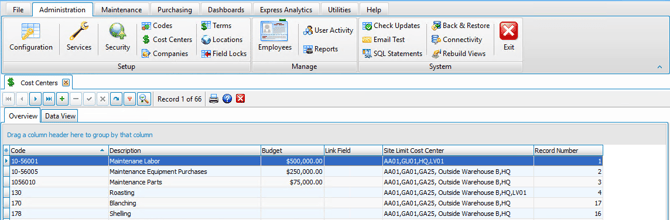
How to set up Cost Centers
To insert or edit a record, simply click  on the data navigator at the top of the screen.
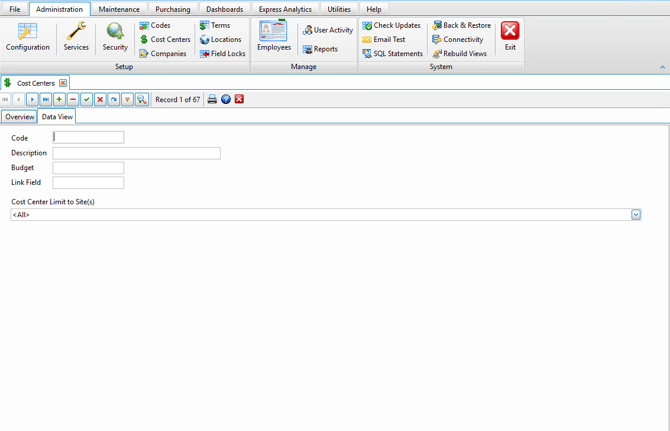
You can input the required details for each data field in the Cost Center section.
Data Field Explanations
- Cost Center - The alpha / numeric cost center code as used by your organization. If you are in the transportation business, you can populate the cost centers table with the desired ATA Codes.
- Description - The description or name of the cost center.
- Budget - The annual budget amount for the cost center.
- LinkField - Available field to link the cost center with other applications such as accounting.
- Cost Center Limit to Site(s) - The sites will default to <All> but can be limited to one or more specified site. Users with permissions to access one or more of the specified sites will be able to see and use these cost centers.