
Prerequisites:
- You must have an active cloud environment account (EM Hosting).
- You must have pre-existing ManuMax EM credentials
If you do not have these credentials, please have your administrator contact us.
Step 1: Access the Cloud Environment (EM Hosting)
For optimal performance and compatibility, we recommend using Google Chrome, Microsoft Edge, or Mozilla Firefox.
-
Navigate to em-hosting.com
- Enter your cloud environment credentials (username and password) and click login
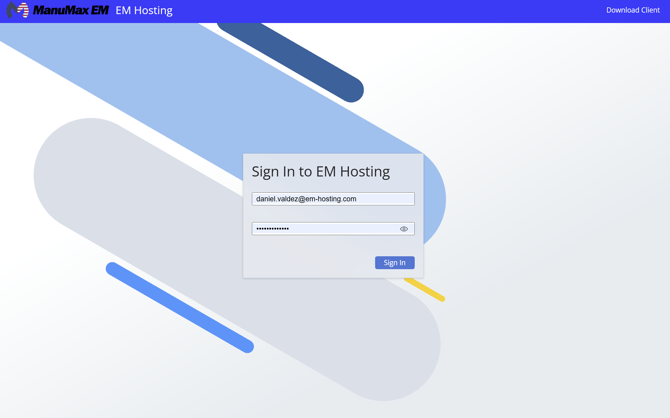
- Enter your cloud environment credentials (username and password) and click login
Important: These credentials are used to access the cloud platform itself and are separate from your ManuMax EM credentials.
Step 2: Launch ManuMax EM
- Select the ManuMax EM application.
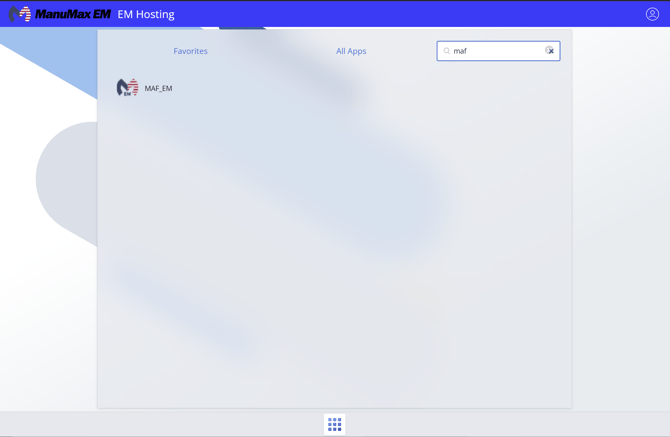
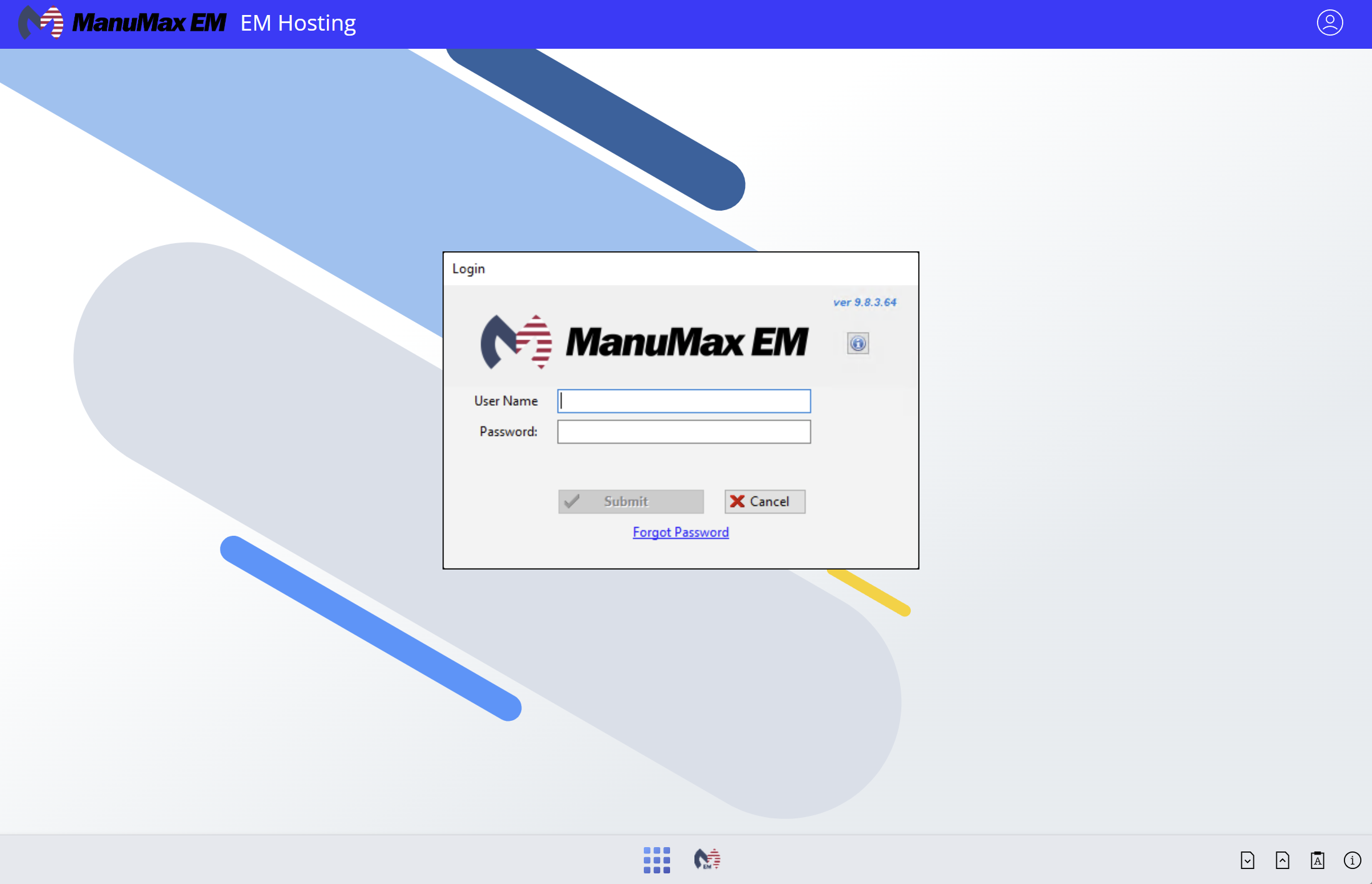
If you have forgotten your ManuMax EM credentials, please check out this guide.
If you encounter any issues or require further assistance, please don't hesitate to reach out by submitting an EM Support Ticket.